Weather outfits from your own closet
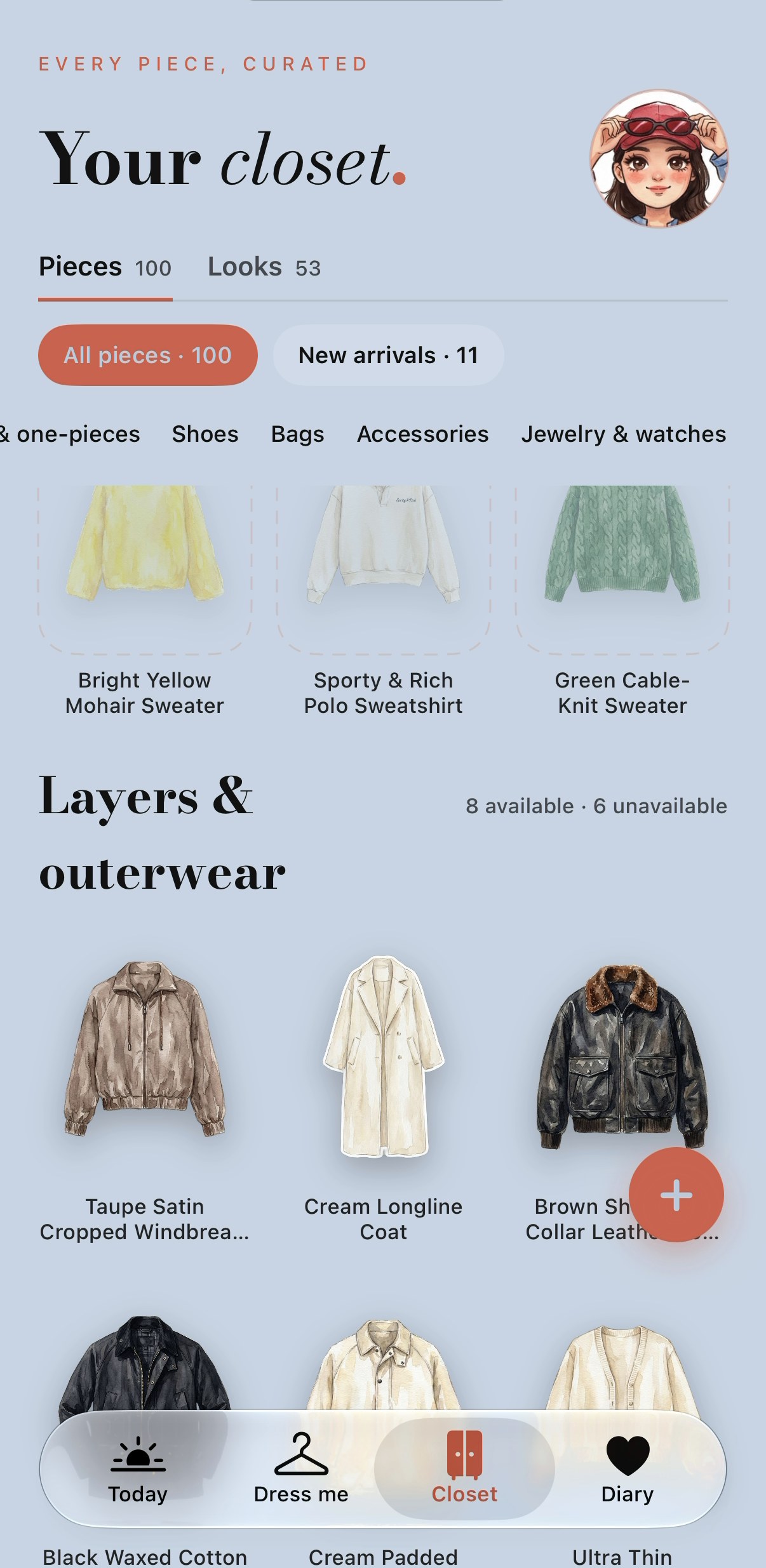
PutTogether helps you decide what to wear from your own clothes for the weather in your selected city. Members receive a daily outfit on their illustrated mini-you, with the pieces and a short reason. Your first wardrobe check is free; it is a separate starting step.
Get PutTogether for iPhone ↗Product information checked · Screens dated separately below
One look. Two ways to see it.
See the outfit on your mini-you, then tap the pieces to see what makes it up. Tap on me to switch back to the same look.
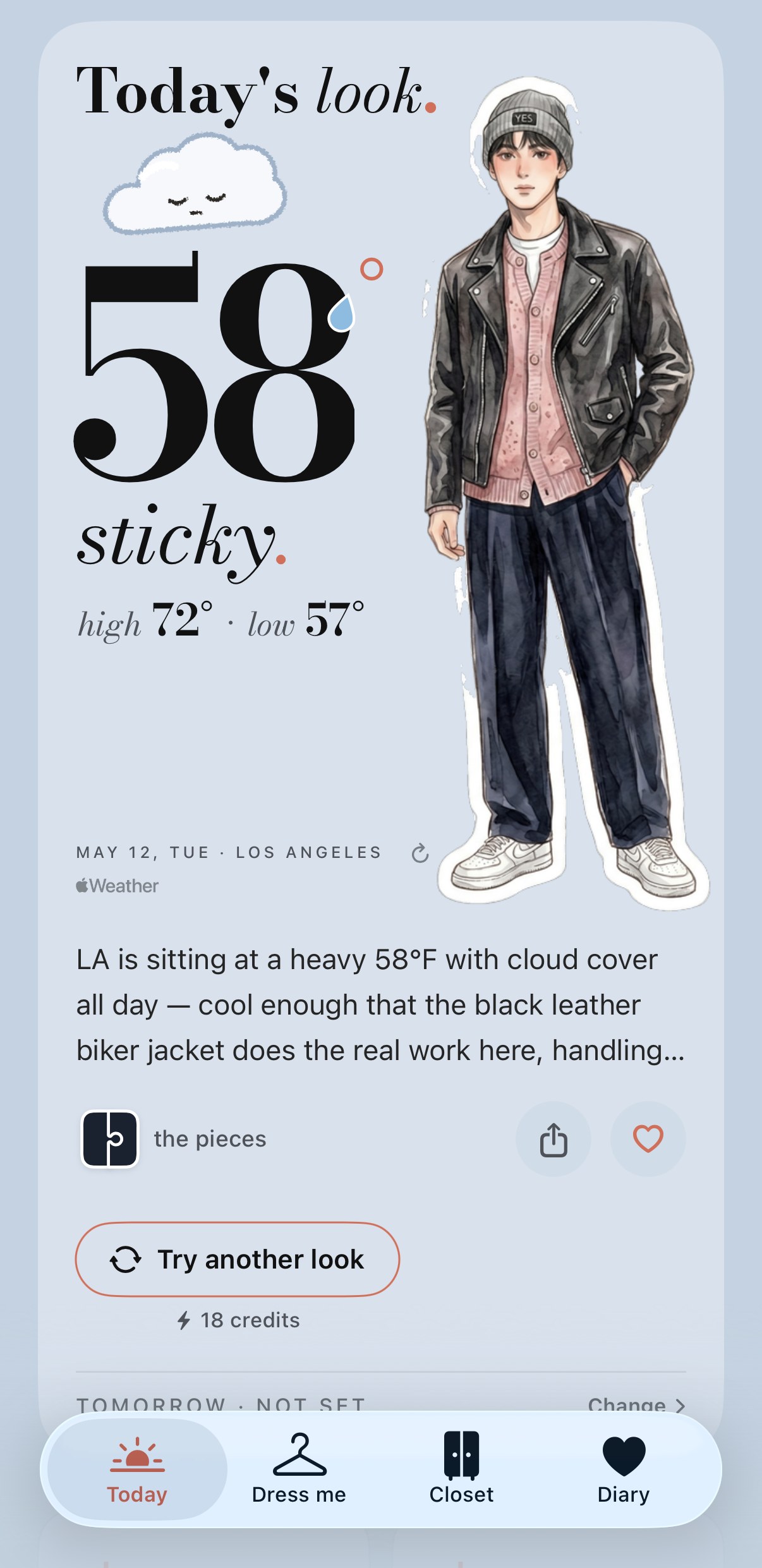
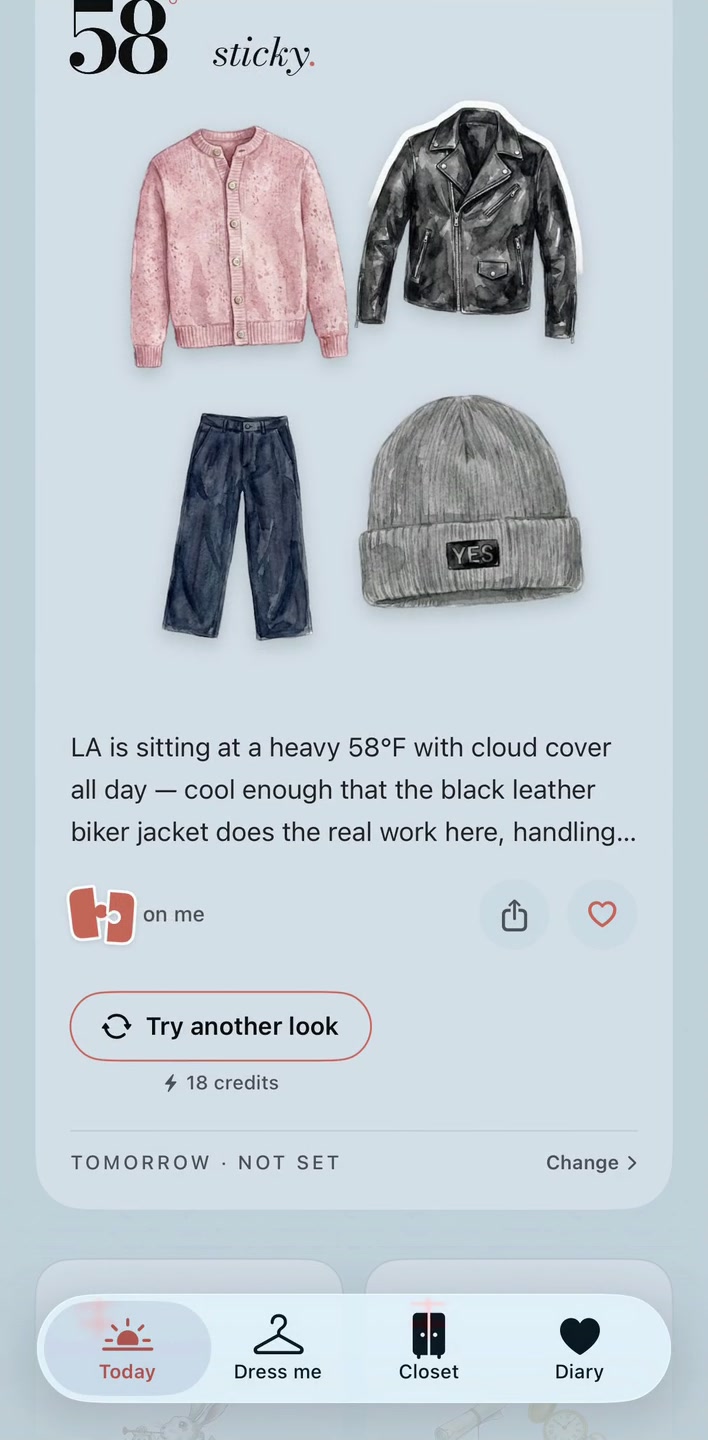
Stored Los Angeles look, 12 May 2026 · Both views rendered in the real app on 13 October 2026 using the stored record. A dated example, not today’s forecast or a new test. Select either screen to view it full size.
How to get a weather-based daily look
- Choose your city and upload one full-body outfit photo. The free first step gives you a mini-you, up to three garment stickers and a wardrobe check for that destination.
- For daily looks, choose a membership and add the clothes you want the app to consider. Check the extracted pieces and correct season or fabric labels when needed; additional uploads use credits.
- Set your city, preferred delivery time, and occasion or weekly routine. These are choices you enter in the app, not events read from your device calendar.
- Open Today to see the outfit, its pieces and the reason. Check it against your comfort and plans. The included daily look and style avatar use no credits; an extra re-roll does.
How does the weather affect the outfit?
The member daily look uses weather for your selected city, your available closet pieces, and your chosen occasion or weekly routine. Temperature, feels-like, hourly conditions, rain, wind and UV inform the styling request; confirmed garment labels help filter unsuitable pieces. Review the suggestion for your comfort and plans.
The daily look uses Apple WeatherKit data, including the hourly outlook into the evening. The app can therefore consider a cool morning and a warmer afternoon in the same styling request. This does not guarantee a particular layer, fabric or umbrella in every result.
Your first free wardrobe check answers a smaller question: how the pieces in your first outfit photo suit the chosen destination. Membership adds the recurring daily look from your available closet. A weather ping alone is not a new daily outfit.
What should you check yourself?
Choose the right city and keep garment labels and availability accurate. The app cannot know how warm you feel, whether a shoe leaks, or how cold your office is. Weather changes, and a small closet may not contain a suitable complete outfit. Check the forecast and adjust the suggestion before leaving.
AI-generated stickers and portraits are illustrations. They do not measure fit or guarantee the exact appearance of a garment on your body.
Choosing between apps? Our Cladwell and PutTogether comparison separates current features from its older recordings.
What is free, and what needs membership?
Start free
Start free with 1 full-body outfit photo: your illustrated mini-you, up to 3 garment stickers and a wardrobe check for your chosen destination. Dress me for includes 3 planning requests per day for free accounts and 5 for members, without spending credits. Each request can return up to 5 looks and a packing list. Building looks yourself is free.
Build your closet and receive daily looks
Every membership includes 5 Dress me planning requests per day and adds wardrobe uploads, a daily look from your closet and style diary letters once enough complete outfit photos are added. Plans run from $9.99 to $34.99 a month for 25–200 pieces. See it on me requires membership and 18 credits per new Dress me rendering.
US App Store prices in USD, billed monthly. Prices and availability vary by region; the price shown before purchase applies. No annual plan or subscription free trial is currently offered.
Compare all plans, wardrobe capacities and credit costs.
Devices
Designed for iPhone, with iOS 17.0 or later. No Android app or dedicated iPad app. Apple also lists compatibility with M1-or-later Macs on macOS 14.0 or later, but marks the app as not verified for macOS.